


The impact
Replace scattered AI tools with one controlled workspace
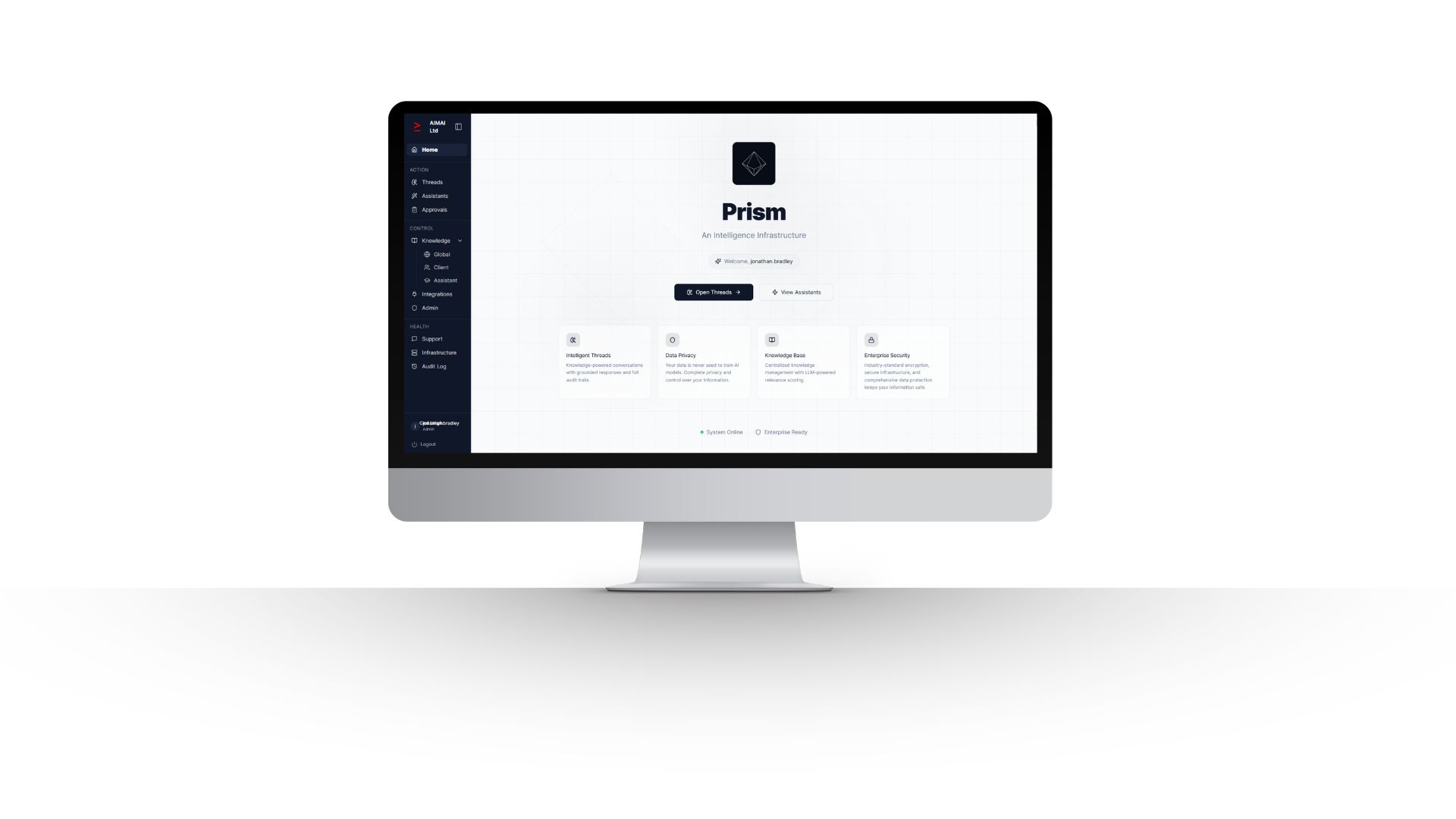
Users work through a consistent internal environment instead of juggling separate accounts and disconnected AI experiences.
Respect department and data boundaries
Applications and knowledge are exposed according to role, keeping sensitive departmental information segregated.
Make previous work retrievable
Run history keeps earlier inputs and outputs available for reuse, review and audit rather than losing them across private chats.
Expand without creating another tool sprawl problem
New Applications can be added to the same governed environment with consistent access, administration and user experience.
The problem
As teams adopt more AI tools, users can end up with separate accounts, inconsistent interfaces, duplicated knowledge and weak governance. Different departments also need different permissions and data boundaries, especially where HR or commercially sensitive information is involved.
What the Application does
AIMAI built the workspace as one secure internal operating environment. Users sign in to a role-based dashboard, see only the Applications and knowledge they are permitted to use, work through a consistent input-run-output experience, retrieve previous work from history and operate within department-specific data boundaries. Administration controls roles, access and Application versions.
How it works
- User and department structure configured
- Application catalogue and permissions assigned
- Shared and department-specific knowledge governed
- Users access only the Applications allowed for their role
- Runs, outputs and history retained in a consistent workspace
- Administrators manage roles, versions, audit and data boundaries
What it uses
- User and department structure
- Application catalogue
- Access and data-segregation rules
- Shared and department-specific knowledge
What it produces
- Role-based Application hub
- Run history and reusable outputs
- Department-specific knowledge access
- Administration and audit views
Where people stay in control
Role-based access control, Application-level permissions, data segregation and audit are built into the operating environment. Users see only what their role or department permits, and accountable human owners remain responsible for the work produced.
The result
Teams work through one governed internal environment rather than a growing collection of disconnected AI tools. Applications, knowledge and history are available according to role, sensitive departmental data remains segregated and the organisation can expand its AI capability without rebuilding the operating model each time.
Could something similar work in your business?
It is likely to be relevant if:
- Different departments are adopting AI through separate tools or accounts.
- Users need different Applications and knowledge depending on their role.
- Sensitive HR, operational or commercial data needs clear access boundaries.
- Previous AI work needs to be retrievable and auditable.
- You want to add more Applications over time without creating another collection of disconnected tools.
Have a workflow like this?
Tell us how AI tools, knowledge and access are managed across your departments today. If the challenge involves tool sprawl, role-specific workflows and sensitive data boundaries, we can show you how a governed departmental workspace could be configured around your organisation.